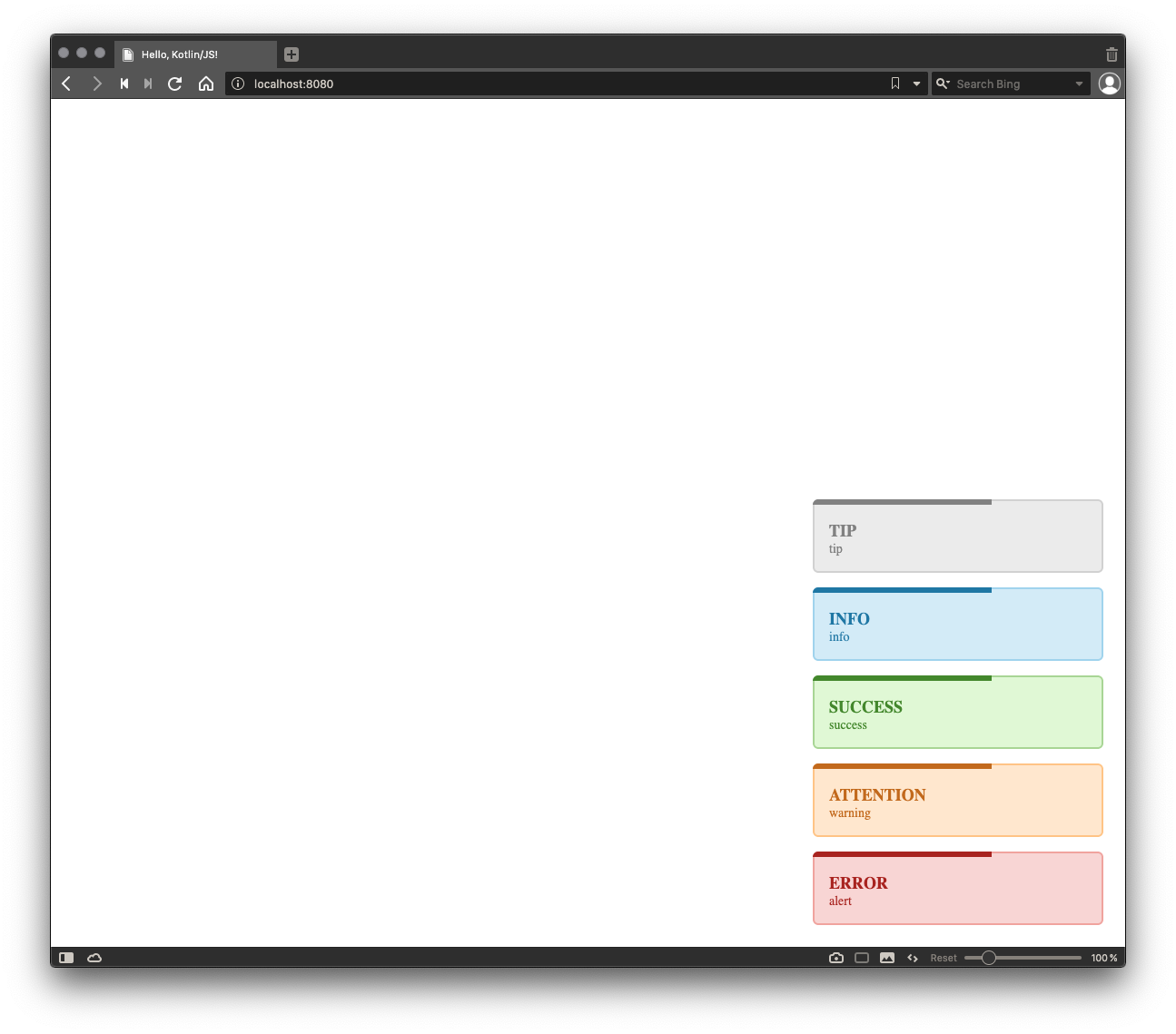
Tiny project with sample of using Kotlin to build web page with the npm package.
Links:
Code available at Repository
Goal: Use the npm package in a project with Kotlin / JS.
NPM Package to use: awesome-notifications
Add dependencies to build.gradle.kts file.
dependencies {
    implementation(kotlin("stdlib-js"))
    implementation("org.jetbrains:kotlin-extensions:1.0.1-pre.94-kotlin-1.3.70")
    implementation(npm("awesome-notifications", "3.1.0"))
    implementation(npm("css-loader", "3.4.2"))
    implementation(npm("style-loader", "1.1.3"))
}
Create file {project_root}/webpack.config.d/css.js.
config.module.rules.push({
    test: /\.css$/,
    loader: 'style-loader!css-loader'
});
Create binding wrapper awesome-notifications.kt for Notifier from awesome-notifications package.
Notifier javascript file awesome-notifications.kt/src/index.js:
export default class Notifier {
  constructor(options = {}) {
    this.options = new Options(options)
  }

  tip(msg, options) {
    return this._addToast(msg, "tip", options).el
  }

  info(msg, options) {
    return this._addToast(msg, "info", options).el
  }

  success(msg, options) {
    return this._addToast(msg, "success", options).el
  }

  warning(msg, options) {
    return this._addToast(msg, "warning", options).el
  }

  alert(msg, options) {
    return this._addToast(msg, "alert", options).el
  }

  // ...
}
Wrapper file awesome-notifications.kt:
@file:JsModule("awesome-notifications")
@file:JsNonModule

@JsName("default")
external class Notifier(options: Any = definedExternally) {
    fun tip(msg: String, options: Any? = definedExternally)
    fun info(msg: String, options: Any? = definedExternally)
    fun success(msg: String, options: Any? = definedExternally)
    fun warning(msg: String, options: Any? = definedExternally)
    fun alert(msg: String, options: Any? = definedExternally)
}
Modify the entry point.
import kotlinext.js.require

fun main() {
    require("awesome-notifications/dist/style.css")
    with(Notifier()) {
        tip("tip")
        info("info")
        success("success")
        warning("warning")
        alert("alert")
    }
}
Result: